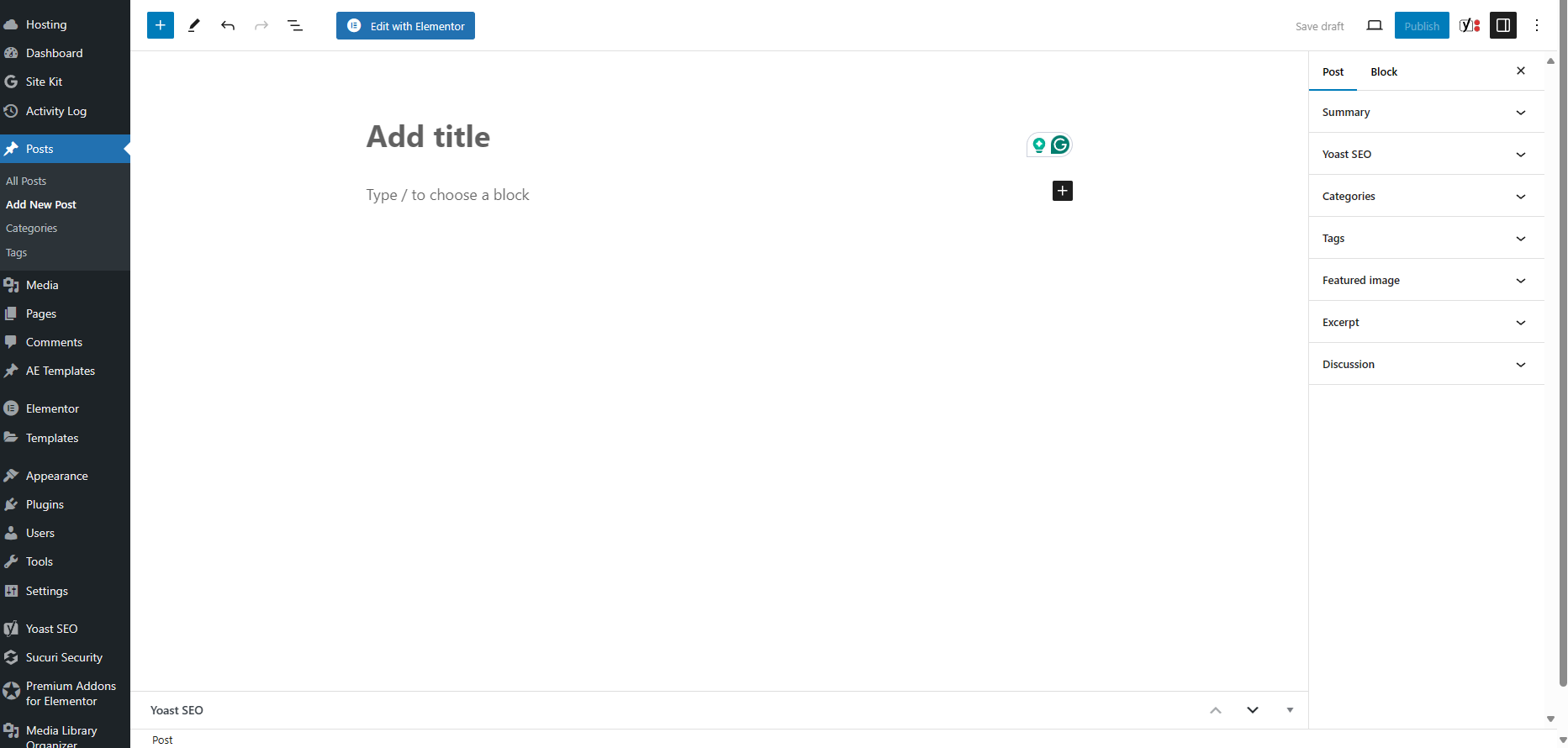
Create a NEW Blog Post

Log in to your WordPress Administration Panel (Dashboard).

Your login address is in this format  (Replace “yourwebsitename.com” with your Website address.)

  • https://www.yourwebsitename.com/wp-admin

Login with your WordPress Username and Password.
This is the UserName and Password you were given after your website was created.
If you don’t know your WordPress Username and/or Password contact us and we can help you retrieve it.

Once logged in you will see your WordPress Dashboard.  You will now use these options in the left Menu.

Click the ‘Posts‘ tab.
Click the ‘Add New Post‘ sub-tab.

Block Editor (Gutenberg)

Post Settings

In the “Add Title” field enter the Title of your Blog post.

Where is says “Type / to choose a block” put in the Text that you want to appear in your Post.

On the right tab, you can edit your details.  Click on the “Post” tab

Summary:  Author: Choose the Author of the Post
Categories:  Choose categories that you want to be associated with your blog post.
Featured Image: Add an Image you want to be associated with your blog post.
Discussion:  Choose whether you want people to be able to comment on your blog post.

When done click “Publish” in the Upper Right.