ZonCom
M A R K E T I N G
Home
Services
Virtual Assistants
Website Design and Maintenance
Social Media
Content Creation
Business Setup
Music, Lyrics, and Audio Production
Animations
Aerial Photography & Videography
360° Photos & Videos
Real Estate Professionals
Real Estate Professionals Marketing – Houston
Property Listing Marketing
Event Professionals
Real Estate Content
Testimonials
About Us
Clients
Blog
Contact Us
Shop
My Account
Shop
My Account
$
0.00
0
Cart
(815) 676-5275
info@zoncom.com
Customizing your Photo Strip
Colors
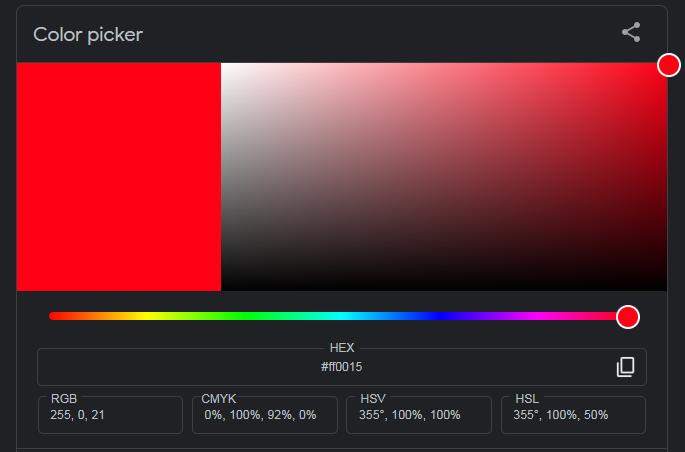
Pick your colors from the following website –
https://www.google.com/search?q=google+color+picker
Move the color slider to the approximate color you want.
Move the DOT in the box to the exact shade you want.
Copy the HEX value of the color and put it in the COLOR 1 or COLOR 2 field in the form below. (e.g. #FFFFFF)
Fonts
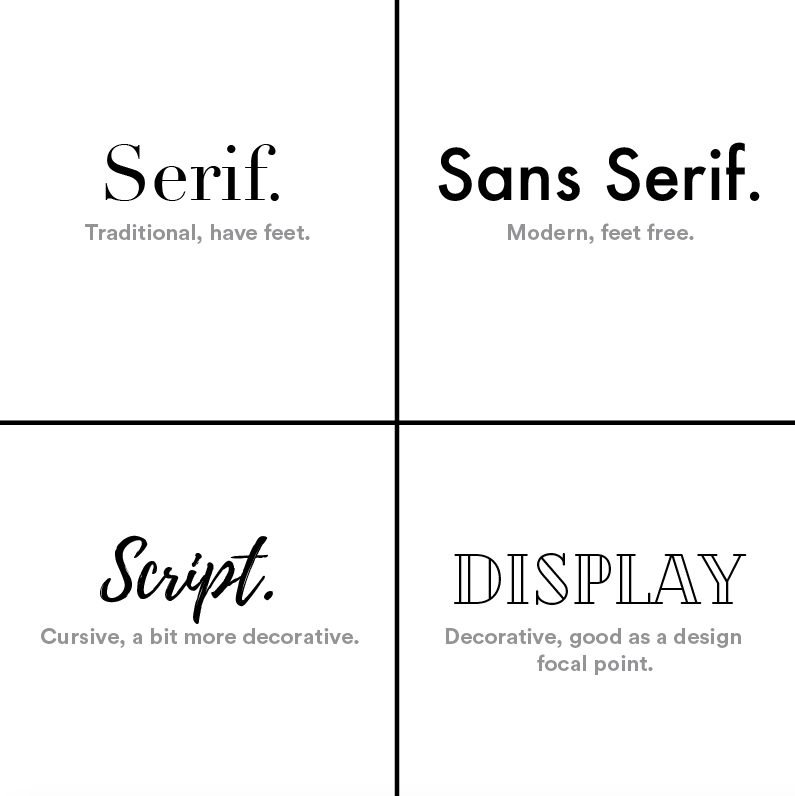
Pick one of the following Font Types
Serif:
Old Type (e.g. Times New Roman, Georgia, Courier)
Sans-Serif:
Clean & most easily read (e.g. Arial, Verdana, Helvetica)
Script:
Resembles handwriting & calligraphy (e.g. Brush Script, Calligraphy, Freestyle Script)
Display:
Decorative fonts (e.g. Comic Sans, Impact, Papyrus)
Here is an example of some basic font types.
Need a little inspiration?
See some of our Previous Photo Strip Designs
Customize your Photo Strip
Fill out this form and click "SEND"
Name (First Last)
Email Address
Event Type
+Pick One+
Wedding
Anniversary
Birthday Party
Bar / Bat Mitzvah
Corporate Party
General Party
Other
Event Date
Color 1 (HEX Value)
Color 2 (HEX Value)
Font Type 1
+Pick a Font Type+
San-Serif Font
Serif Font
Script Font
Display Font
Font Type 2
+Pick a Font Type+
San-Serif Font
Serif Font
Script Font
Display Font
Wording on Photo Strip
Send